

Download Cent Browser – Fast, Secure, Feature‑Rich Chromium Alternative
Cent Browser is a Chromium‑based web browser that feels familiar to anyone who has used Google Chrome, yet it packs a suite of productivity‑boosting tools that set it apart from the crowd. Built on the same open‑source engine that powers Chrome, it inherits the speed, stability, and extension compatibility that power millions of daily sessions. What truly differentiates Cent Browser is its “power‑user” enhancements: mouse‑gesture navigation, a scrollable tab bar, a built‑in QR‑code generator, and a customizable boss‑key that hides the window with a single shortcut. These additions are designed to make browsing smoother, safer, and more convenient without sacrificing the clean, lightweight interface that Chrome fans love. Whether you are a casual surfer, a developer juggling dozens of tabs, or a privacy‑concerned user looking for a discreet incognito experience, Cent Browser offers a balanced blend of familiarity and innovation that can improve your everyday web routine.
Overview & Unique Features
At first glance, Cent Browser mirrors Chrome’s sleek layout: a single address bar, bookmark manager, and access to the Google Web Store for extensions. However, the real power lies beneath the surface. The developers have introduced a range of native tools that eliminate the need for third‑party add‑ons while keeping the browser lightweight.
For instance, mouse gestures let you perform common actions—like switching tabs, reloading pages, or opening the download manager—by simply holding the right mouse button and drawing a pattern. This can dramatically speed up navigation for users who prefer keyboard‑free interaction. Another standout is the scrollable tab bar, a hybrid feature borrowed from Firefox that allows unlimited tabs to be browsed via a simple scroll wheel or swipe, preventing the cramped “tiny boxes” problem that often plagues Chrome users.
The integrated QR‑code generator turns any URL into a scannable code in seconds, which is handy for sharing links across devices. Additionally, the boss‑key feature lets you assign a hotkey that instantly hides the browser window, replacing it with a harmless image or a blank screen—perfect for maintaining privacy in public spaces. All these features are toggled through an intuitive Settings menu, ensuring that even less‑tech‑savvy users can customize their experience without digging through complex configuration files.
- Mouse‑gesture support for rapid tab switching, page reloads, and more.
- Scrollable tab bar that lets you navigate unlimited tabs smoothly.
- Built‑in QR‑code generator for instant sharing of URLs.
- Customizable boss‑key to hide the browser with a single shortcut.
- Full compatibility with Chrome extensions and Google account sync.
- Incognito mode opens in a new tab instead of a separate window.
- Right‑click search engine shortcuts for faster queries.
- Theme support and easy UI customization.
Installation, First‑Time Setup & Usage Instructions
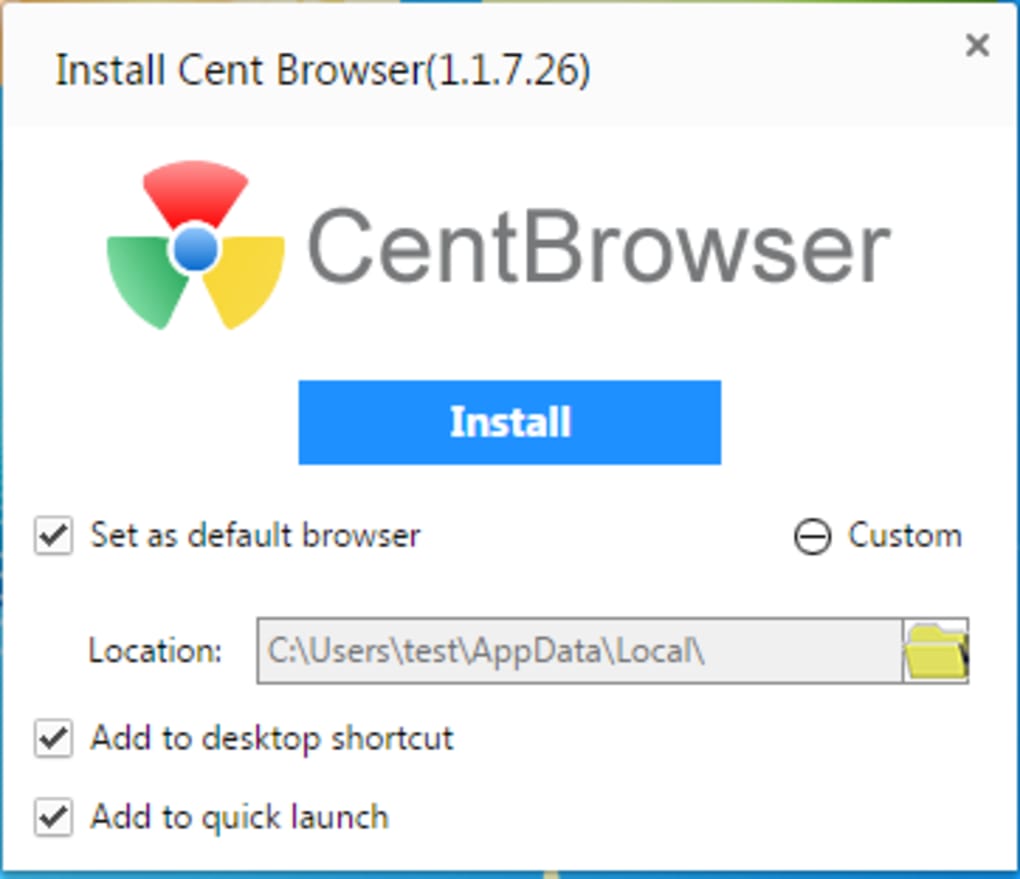
Getting started with Cent Browser is straightforward. The installer is available as a free .exe for Windows and a .dmg for macOS. After downloading the file from the official website, run the installer and follow the on‑screen prompts—accept the license agreement, choose an installation folder (the default works for most users), and decide whether you want a desktop shortcut. Once installed, launch the browser; the first‑time setup wizard will ask if you’d like to import bookmarks, history, and saved passwords from Chrome or other browsers. This seamless migration ensures you don’t lose any data during the switch.
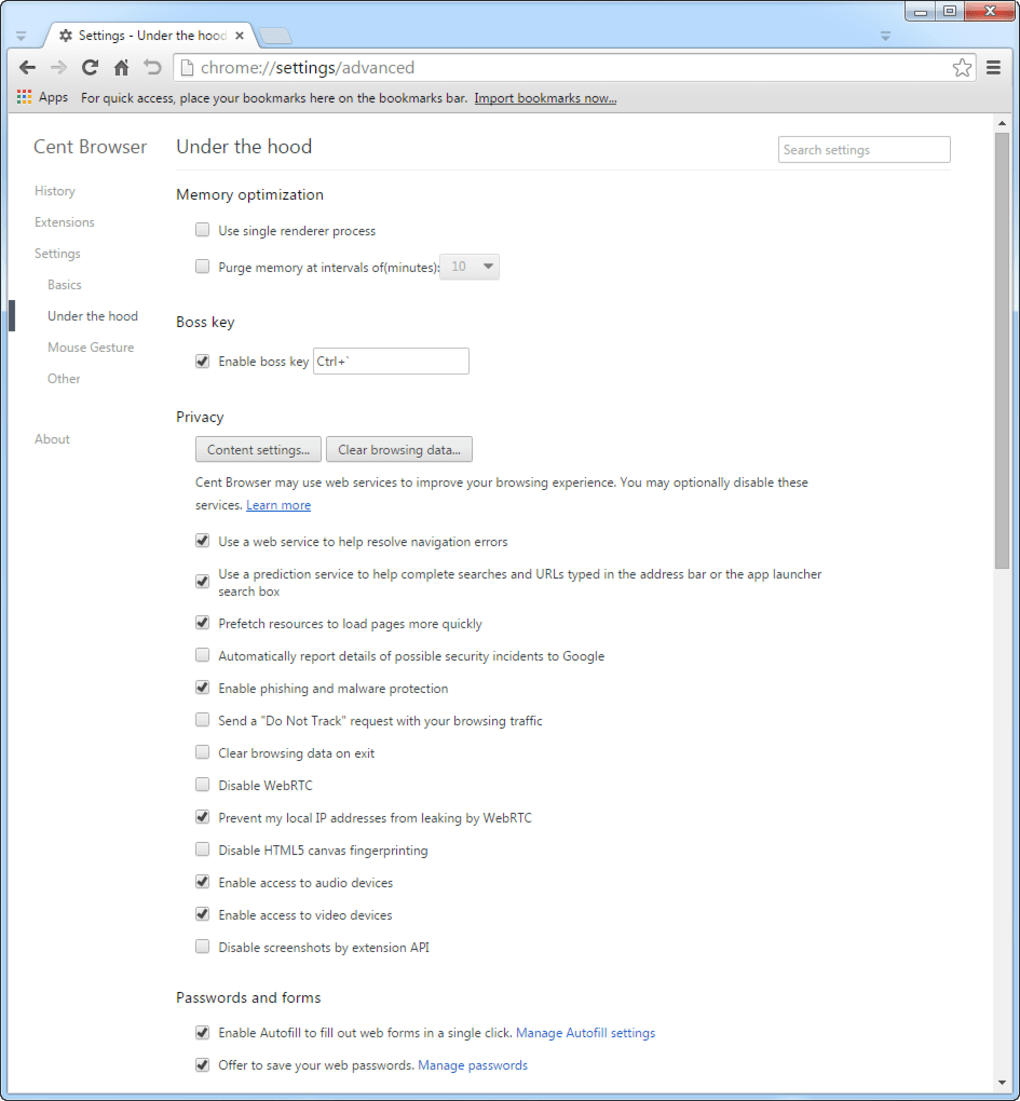
The Settings menu (accessible via the three‑dot icon) is where you’ll enable most of the power features. Under “Mouse Gestures,” you can activate the function and view a list of pre‑configured gestures; you may also create custom gestures by entering a name and drawing the pattern. For the scrollable tab bar, simply enable “Vertical Tab Scrolling” and choose your preferred scroll speed.
The QR‑code generator lives in the right‑click context menu: right‑click any page and select “Generate QR Code” to copy the image to your clipboard. To set up the boss‑key, go to “Privacy & Security,” enable “Boss Key,” and assign a hotkey combination that you’ll remember but others won’t guess. Finally, sign in with your Google account to sync extensions, passwords, and open tabs across devices.
The learning curve is minimal; most users report mastering the core gestures within a single browsing session.
Compatibility and System Requirements
Cent Browser is engineered to run on the most common desktop operating systems. Official builds are available for:
- Windows 7, 8, 8.1, 10, and 11 (64‑bit recommended).
- macOS 10.13 (High Sierra) and later, including the latest macOS Ventura.
- Linux distributions that support the Chromium engine (Debian, Ubuntu, Fedora, etc.).
Minimum hardware requirements are modest: a 1 GHz processor, 2 GB RAM, and at least 200 MB of free disk space for the core installation. Because Cent Browser inherits Chromium’s efficient rendering engine, performance is comparable to Chrome on identical hardware, and the added features do not noticeably increase memory consumption for typical browsing workloads. Users on older machines may want to disable some optional features—like the boss‑key overlay or QR‑code generator—to conserve resources, but most will experience smooth operation even with dozens of tabs open. The browser also supports 64‑bit architecture, which provides better security and memory handling on modern systems.
Pros and Cons
Pros
- Free to download and use, with no hidden subscription fees.
- Native mouse‑gesture support speeds up navigation.
- Scrollable tab bar eliminates tab‑crowding issues.
- Full compatibility with Chrome extensions and Google sync.
- Built‑in QR‑code generator and boss‑key enhance productivity and privacy.
- Lightweight footprint compared to many Chrome‑based browsers.
Cons
- Advanced features may be overwhelming for absolute beginners.
- Occasional UI glitches when scrolling through a very large number of tabs.
- Support is primarily community‑driven; official customer service is limited.
- Some corporate environments block custom browsers for security reasons.
Frequently Asked Questions
Is Cent Browser completely free?
Yes, Cent Browser is 100 % free for personal use. There are no hidden fees, premium tiers, or mandatory subscriptions. All core features—including mouse gestures, the scrollable tab bar, and the QR‑code generator—are available without charge.
Can I import my Chrome extensions and settings?
Absolutely. During the first‑time setup, Cent Browser offers an import wizard that detects existing Chrome installations and copies extensions, bookmarks, history, and saved passwords. This makes the transition seamless.
How do mouse gestures work, and can I customize them?
Mouse gestures are activated by holding the right‑mouse button and drawing a predefined pattern. Cent Browser includes a set of default gestures (e.g., right‑drag for “back”, left‑drag for “forward”), and you can add or modify gestures in the Settings → Mouse Gestures panel by assigning a name and drawing the desired motion.
Is the boss‑key secure enough for public places?
The boss‑key replaces the browser window with a customizable image or blank screen instantly when you press the assigned hotkey. While it hides the UI effectively, it does not encrypt your session. For added security in public spaces, combine the boss‑key with incognito mode or lock your computer when stepping away.
Does Cent Browser receive regular security updates?
Yes. Because it’s built on Chromium, Cent Browser inherits the upstream security patches released by Google. The development team also pushes their own updates to improve features and fix bugs, typically on a monthly basis.
Conclusion & Call to Action
Cent Browser strikes a compelling balance between the familiar comfort of Chrome and the productivity‑focused enhancements that power users crave. Its free price tag, extensive extension compatibility, and thoughtful additions—such as mouse gestures, a scrollable tab bar, QR‑code generation, and a boss‑key—make it a strong contender for anyone looking to boost browsing efficiency without sacrificing stability. While the abundance of features may initially seem daunting, the intuitive Settings panel and comprehensive import wizard smooth the learning curve. If you spend a lot of time juggling tabs, need quick shortcuts, or simply want a browser that respects your privacy with discreet incognito handling, Cent Browser is worth a download and a test run.
Ready to experience a faster, more flexible web journey? Download Cent Browser now and enjoy a secure, customizable browsing environment that works on Windows, macOS, and Linux—all for free.
Cent Browser delivers a robust set of tools that enhance everyday browsing while staying lightweight. The mouse‑gesture system and scrollable tab bar are standout features that genuinely improve productivity. Compatibility with Chrome extensions means you won’t lose any of your favorite add‑ons, and the free price point makes it accessible to all users. Minor UI quirks appear only when handling an extreme number of tabs, but overall the experience is smooth and reliable.
- Pros: Free, gesture support, tab management, QR‑code tool, boss‑key.
- Cons: Feature overload for beginners, limited official support.







